




How many lines of code can you see without scrolling? In fact, that number decides your monitor more than any spec sheet.
The BenQ RD280U wins here at about $549.99, because its 28.2-inch 3:2 panel shows 3840 x 2560 pixels.
That is 400 more rows of height than a standard 4K screen. In short, you read more of a file at once, and the text stays sharp at 164 pixels per inch.
Unlike pricier picks, the Dell S2725QC gives you a 27-inch 4K panel and 65W USB-C for about $299.99.
Coding on a MacBook? Then the ASUS ProArt PA27JCV, at about $699, is the 5K screen that macOS renders cleanly.
For one wide canvas, though, the LG 34WR55QK-B ultrawide costs about $259.99. Meanwhile, the BenQ RD320UA adds a 32-inch screen on a built-in desk arm for about $749.99.
Altogether, we compared 7 monitors and 2 monitor arms, and we checked every price on 17 November 2026.
This page is part of our remote developer gear guide, which sits inside the remote developer setup guide.
Quick Answer: The Best Monitor for Programming in 2026
Best overall: the BenQ RD280U (~$549.99) has a tall 3:2 panel, 164 PPI, 90W USB-C and a KVM switch.
Best value 4K: since it pivots and charges at 65W, the Dell S2725QC (~$299.99) is the cheapest sharp screen here.
Best 32-inch: unlike a foot stand, the BenQ RD320UA (~$749.99) mounts on its own clamp arm with 130 mm of lift.
Best for MacBook and Mac mini: at 218 PPI, the ASUS ProArt PA27JCV (~$699) hits the density macOS targets.
Best ultrawide: for about $259.99, the LG 34WR55QK-B fits three code panes side by side on 3440 x 1440.
Best Thunderbolt dock: with 140W Thunderbolt 4, the Dell UltraSharp U2725QE (~$699) powers even a 16-inch laptop.
Best vertical second screen: since it turns 90 degrees, the Dell P2425H (~$178.49) pivots to portrait for logs, docs and long files.
Best monitor arms: while the Ergotron LX (~$199.99) holds up to 25 lb, the HUANUO FlowLift (~$69.99) carries two screens.
How We Chose the Best Monitor for Programming
Usually, a coding monitor fails in boring ways. Text looks fuzzy, the screen sits too low, or the laptop needs three cables every morning.
So we scored each screen on the problems developers raise most, rather than on gaming or colour specs:
- Text sharpness: pixel density (PPI) decides whether small fonts stay crisp, so every pick here sits at 93 to 218 PPI.
- Lines on screen: vertical pixels and pivot decide how much of a file you see before you scroll.
- One cable for the laptop: because it carries power too, USB-C at 65W to 140W keeps a travel laptop charged.
- Posture: height range, pivot and VESA mounting decide whether the screen meets your eyes or your desk.
- Glare and comfort: above all, matte coatings and flicker-free backlights matter more than HDR for an eight-hour IDE day.
Each spec comes from the maker’s published sheet or the product listing we checked on 17 November. However, we have not run lab tests on these screens, and we say so where it matters.
At home, we code on a 27-inch 4K at “looks like 2560 x 1440” from a MacBook Pro 14. Since our co-living desks run about 60 cm deep, we also judged fit on shallow desks.
Best Monitors for Programming Compared
Read the PPI column first, because it predicts text clarity better than resolution alone. After that, check USB-C power against your laptop charger.
| Monitor | Best for | Price | Size and resolution | PPI | Laptop power | Pivot | Weight without stand |
|---|---|---|---|---|---|---|---|
| BenQ RD280U | Best overall | ~$549.99 | 28.2 in, 3840 x 2560 (3:2) | 164 | 90W USB-C | Not listed | 16.5 lb |
| Dell S2725QC | Best value 4K | ~$299.99 | 27 in, 3840 x 2160 | 163 | 65W USB-C | Yes | Not published |
| BenQ RD320UA | Best 32-inch, built-in arm | ~$749.99 | 31.5 in, 3840 x 2160 | 140 | 90W USB-C | Yes | 16.0 lb |
| ASUS ProArt PA27JCV | MacBook and Mac mini | ~$699.00 | 27 in, 5120 x 2880 | 218 | 96W USB-C | Yes | 9.1 lb |
| LG 34WR55QK-B | Ultrawide under $300 | ~$259.99 | 34 in, 3440 x 1440 (21:9) | 110 | 65W USB-C | No | 11.0 lb |
| Dell UltraSharp U2725QE | Thunderbolt dock | ~$699.00 | 27 in, 3840 x 2160 | 163 | 140W Thunderbolt 4 | Yes | Not published |
| Dell P2425H | Vertical second screen | ~$178.49 | 23.8 in, 1920 x 1080 | 93 | None (15W data port) | Yes | 6.9 lb |
Full Reviews: 7 Best Monitors for Programming
1. BenQ RD280U: Best Monitor for Programming Overall
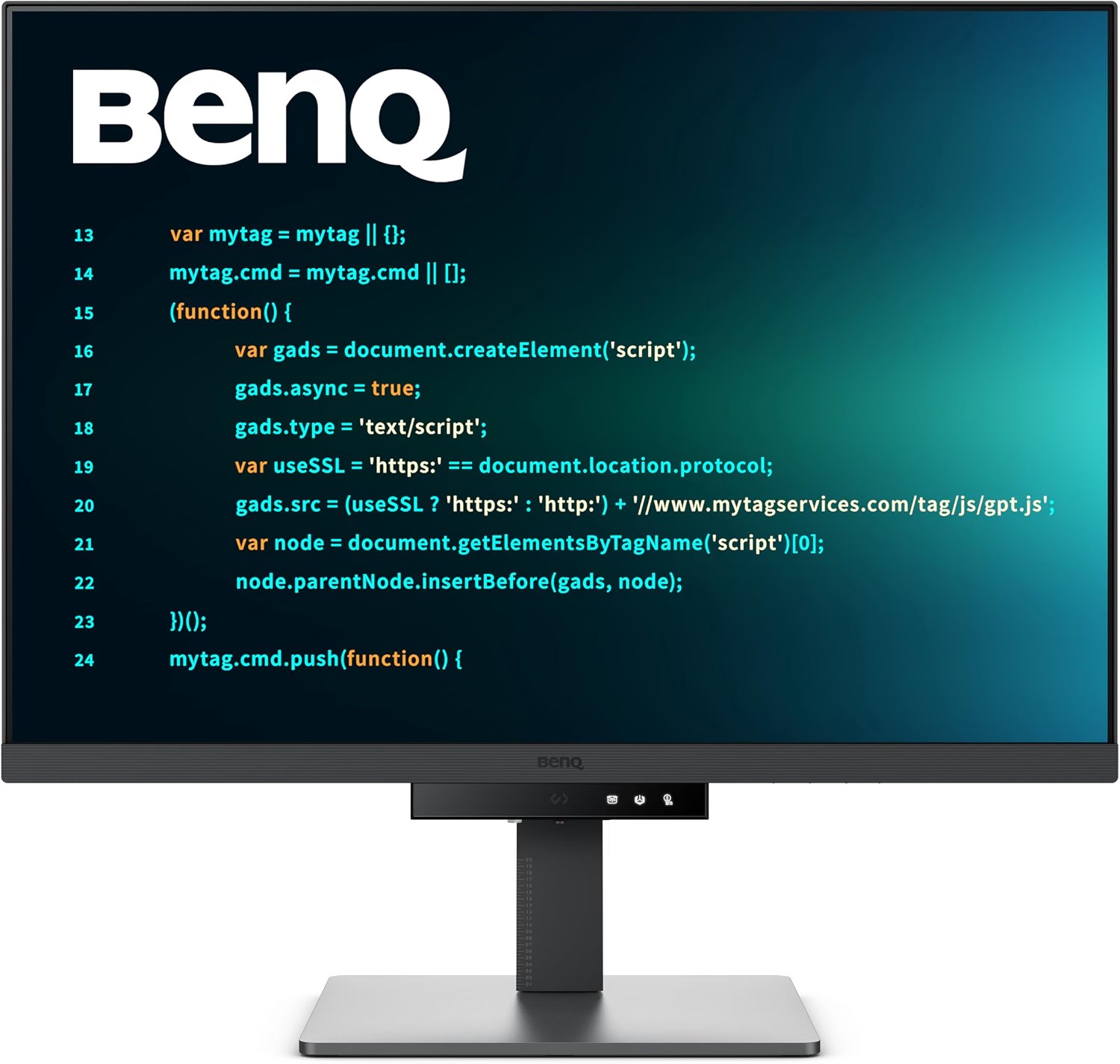
Price: ~$549.99 | Screen: 28.2 in IPS, 3840 x 2560, 3:2 | Density: 164 PPI | Refresh: 60 Hz | Laptop power: 90W USB-C with KVM | Our score: 4.7/5
In truth, most developers do not need a wider screen. Instead, they need a taller one, and this is the rare monitor built around that idea.
Its 3:2 panel adds 400 rows over a 16:9 4K screen. So at 150% scaling, that works out to roughly 13 more lines of code in view.
Why the 3:2 shape matters
Code runs long and narrow, so extra height pays off on every file. Meanwhile, 3840 pixels of width still fit an editor and a terminal side by side.
On top of that, BenQ adds coding modes for dark and light themes and a matte Nano Matte panel. Also, the MoonHalo light on the back softens contrast in a dark room at night.
Fit, ports and what is in the box
The stand gives 110 mm of height, 20 degrees of tilt and 15 degrees of swivel each way. However, BenQ does not list pivot, so it will not turn to portrait on its own stand.
Weighing 16.5 lb without the stand, it suits both arms in our arm section. A single USB-C cable carries video, data and 90W, enough for a MacBook Pro 14 or most 14-inch Windows laptops.
Better still, the built-in KVM lets one keyboard and mouse switch between a work and personal laptop. BenQ does not state the US warranty on its spec page, so we expect three years.
What buyers report
Text sharpness and the 3:2 shape win the most praise from people who code on it. On the other hand, some call the price steep, and a few find the colours a little flat.
Still, that colour note matters for design work, not for an IDE. For photo editing, the ASUS ProArt is the better buy.
How it compares
Against the Dell S2725QC, it costs $250 more and gains 400 rows, 90W charging and a KVM. Then again, the Dell runs at 120 Hz, which makes scrolling smoother.
Skip if: you want to stand a screen in portrait, or you also game. In those cases, the Dell S2725QC or a second vertical screen fits better.
Pros
- Tall 3:2 panel shows more lines than any 16:9 screen here
- Sharp 164 PPI text with a matte, low-glare coating
- 90W USB-C and a KVM for a one-cable laptop desk
Cons
- No pivot listed on the stand
- 60 Hz only, so scrolling feels less smooth than 120 Hz
2. Dell S2725QC: Best Value 4K Monitor for Coding
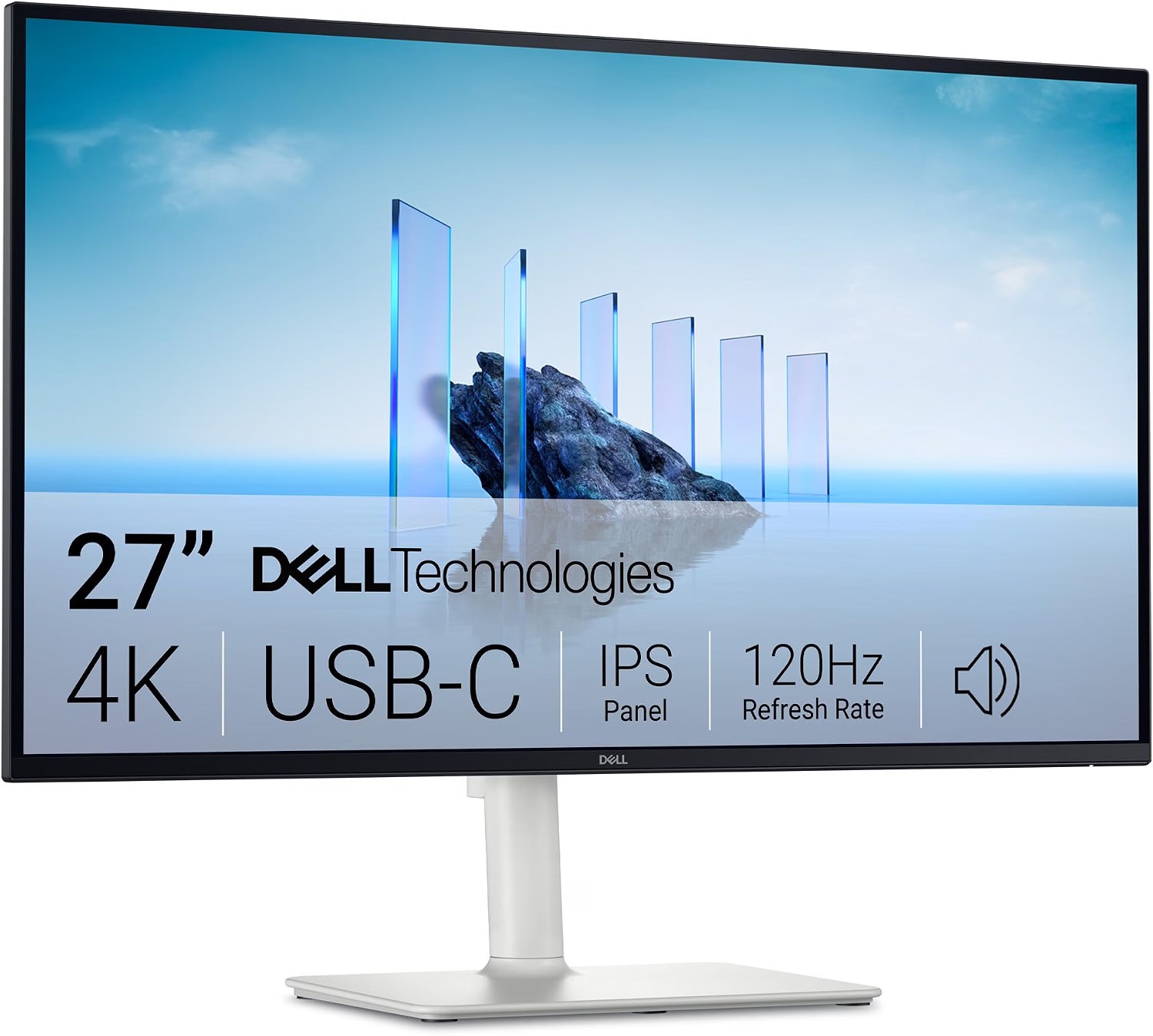
Price: ~$299.99 | Screen: 27 in IPS, 3840 x 2160 | Density: 163 PPI | Refresh: 120 Hz | Laptop power: 65W USB-C | Stand: height and pivot | Our score: 4.5/5
Maybe you are a student, or you start a remote job next week. For about $300, this Dell gives you the same pixel density as monitors that cost twice as much.
Also, it does the one thing our top pick cannot. Specifically, its stand pivots, so the same screen can sit in portrait for long files.
Sharp text at a budget price
At 27 inches, 4K lands at 163 PPI, so 13 px fonts stay crisp on Windows at 150%. Similarly, on a Mac it looks right at the “looks like 2560 x 1440” setting.
Better yet, the 120 Hz refresh makes scrolling through long logs smoother than the 60 Hz BenQ screens. In addition, two 5W speakers cover calls if your headphones die mid standup.
One cable, with limits
For charging, its USB-C port sends 65W, which suits a MacBook Air or a 13 to 14-inch Windows ultrabook. By contrast, a 16-inch laptop under load will drain slowly on 65W.
Meanwhile, a pop-down hub at the bottom holds a spare USB-C and USB-A port. Dell does not publish a US warranty length on the listing, so check it at checkout.
What buyers report
Generally, people like the sharp IPS picture and how easily it connects to both Macs and PCs. Still, a handful of units have died within the first month, so test it hard during your return window.
So leave it on for a full working day in week one, with a long build or test run. If it flickers or blanks, then return it straight away.
Compared to the BenQ RD280U, you save $250 and gain pivot and 120 Hz. In exchange, you lose 400 rows of height, the KVM and 25W of charging.
Pass if: you charge a 16-inch laptop from the monitor. Instead, look at the Dell U2725QE with 140W.
Pros
- 163 PPI 4K for about $300
- Pivots to portrait for long files
- 120 Hz makes scrolling smooth
Cons
- 65W USB-C is light for 16-inch laptops
- Some early failures reported, so test it in week one
3. BenQ RD320UA: Best 32-Inch Monitor for Programming, With a Built-In Arm
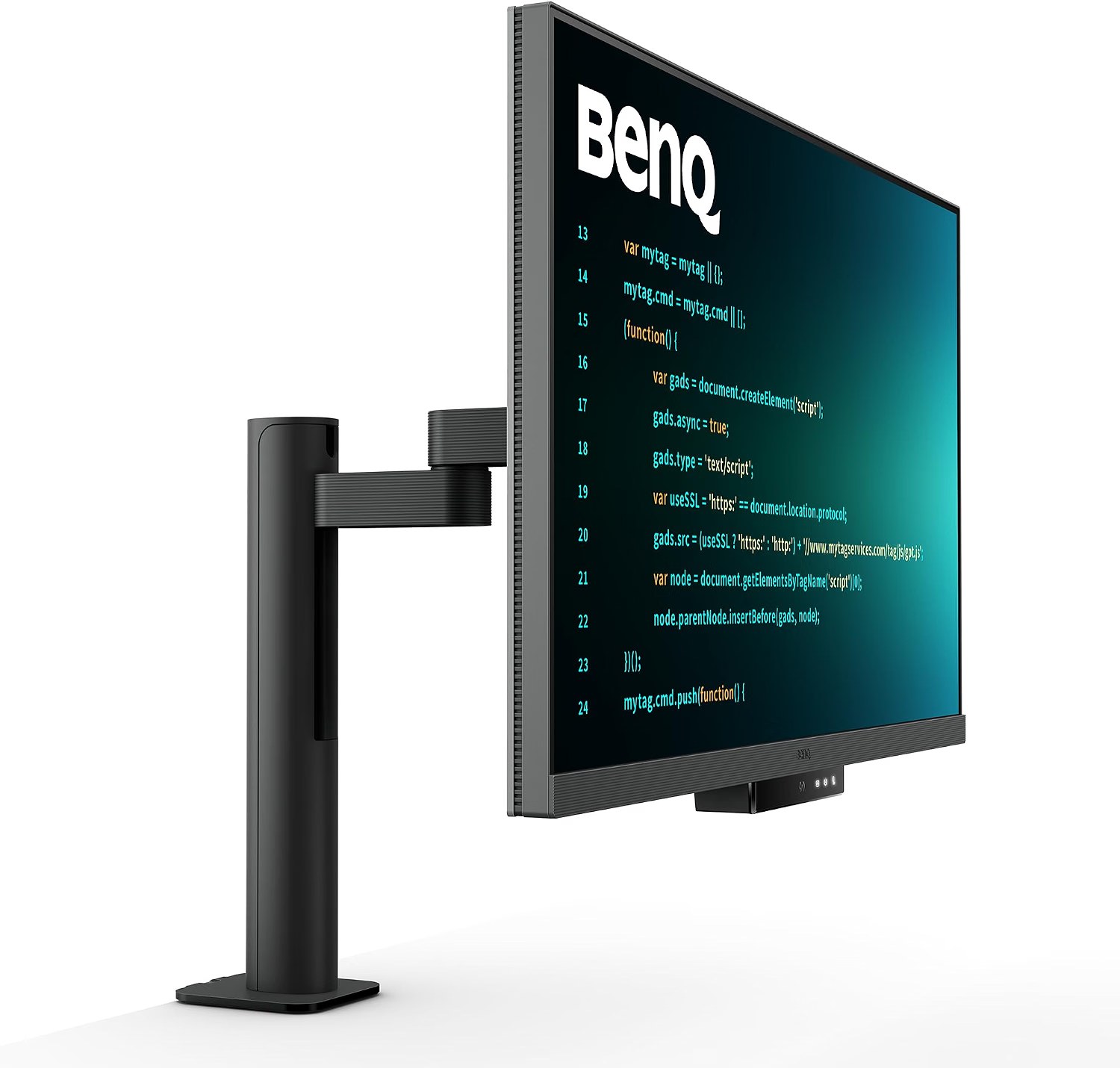
Price: ~$749.99 | Screen: 31.5 in IPS, 3840 x 2160 | Density: 140 PPI | Refresh: 60 Hz | Laptop power: 90W USB-C with KVM | Mount: Ergo Arm desk clamp | Our score: 4.4/5
Are your eyes tired of squinting at 12 px code? Then a 32-inch screen lets you run larger fonts and still keep two panes open.
Unusually, this BenQ ships on its own clamp arm instead of a stand. As a result, the screen floats over a shallow desk and frees the space under it.
The arm is the reason to buy it
In particular, the Ergo Arm gives 130 mm of lift, 30 degrees of tilt and a 90 degree pivot. So you can push it back for reading, pull it close for debugging, or turn it upright.
Given their 60 cm depth, most co-living desks feel cramped with a 32-inch screen on a foot stand. Because the arm clamps to the back edge, it gives that depth back.
Text and size
At 140 PPI, though, text looks slightly softer than on a 27-inch 4K screen. To compensate, most people run it at 125% on Windows and get a workspace close to 3072 x 1728.
On a Mac, the “looks like 1920 x 1080” mode is pin sharp but large. Meanwhile, “looks like 2560 x 1440” fits more and looks clean enough for most coders.
Ports and what to know
Otherwise, it shares the RD280U’s 90W USB-C, KVM, coding modes and MoonHalo backlight. Even so, the USB-C cable in the box runs short, so measure your desk first.
Next to the RD280U, it costs $200 more and adds 3.3 inches of diagonal plus the arm. However, it shows fewer rows, at 2160 against 2560.
Look elsewhere if: your desk has no edge to clamp, like a glass top or a thick trestle. In that case, choose a model with a foot stand.
Pros
- Built-in arm with height, tilt, swivel and pivot
- 32 inches lets you code at larger font sizes
- 90W USB-C and KVM for two laptops
Cons
- 140 PPI looks softer than 27-inch 4K
- Needs a desk edge that takes a clamp
4. ASUS ProArt PA27JCV: Best Monitor for MacBook and Mac Mini Programming
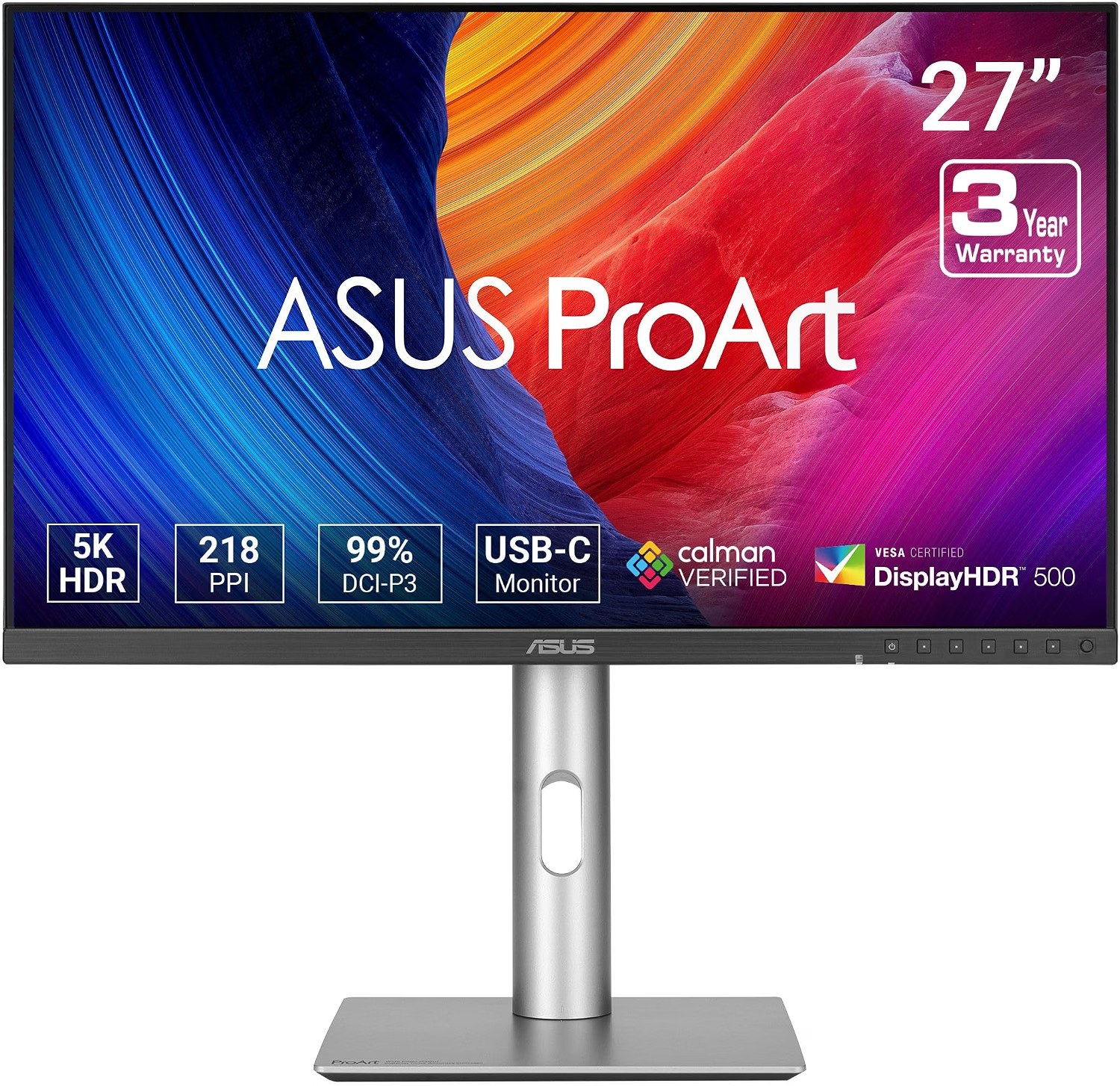
Price: ~$699.00 | Screen: 27 in IPS, 5120 x 2880 (5K) | Density: 218 PPI | Refresh: 60 Hz | Laptop power: 96W USB-C with KVM | Stand: height, tilt, swivel, pivot | Our score: 4.3/5
macOS draws its interface at exactly twice a set size. At 218 PPI, this 5K panel matches that math, so text looks as crisp as your MacBook’s own screen.
On a 4K monitor, by contrast, a Mac renders a larger image and shrinks it. Granted, that works, but fine code fonts lose a little edge, and this ASUS avoids the problem.
Who it suits
Above all, it suits developers on a MacBook Pro or Mac mini who stare at text all day. Because it passes 96W over USB-C, a MacBook Pro 14 charges at full speed from the same cable.
The stand covers 130 mm of height, 30 degrees of swivel and a full portrait pivot. As well as that, a KVM lets a Mac mini and a work laptop share one keyboard.
Mac mini notes
In general, any modern monitor works with a Mac mini over HDMI or USB-C. Even so, use the USB-C cable for this 5K screen, since it also runs the KVM and USB hub.
Shopping for a Mac mini desk rather than a coding setup? Our best monitor for Mac mini guide covers picks for every budget.
Beyond that, Apple lists two external displays for the M4 Mac mini and three for the M4 Pro. So one 5K screen plus a vertical side screen works on either model.
What buyers report
Overall, owners praise the sharpness and the colours for photo and design work. On the negative side, some units have died after a few months, and brightness draws mixed reviews.
For that reason, keep the box and register the warranty on day one. ASUS lists a 3-year zero bright dot panel warranty on its spec page.
Compared to the BenQ RD280U, it costs about $149 more and gains 54 PPI and pivot. However, the BenQ shows more rows at 2560 and adds coding modes.
Skip if: you use Windows or Linux only. In that case, a 4K screen at 163 to 164 PPI looks just as sharp for less money.
Pros
- 218 PPI, the native sharpness macOS expects
- 96W USB-C charges larger MacBooks
- Full pivot, swivel and height stand
Cons
- 60 Hz only
- Reports of units failing after months
5. LG 34WR55QK-B: Best Ultrawide Monitor for Programming Under $300
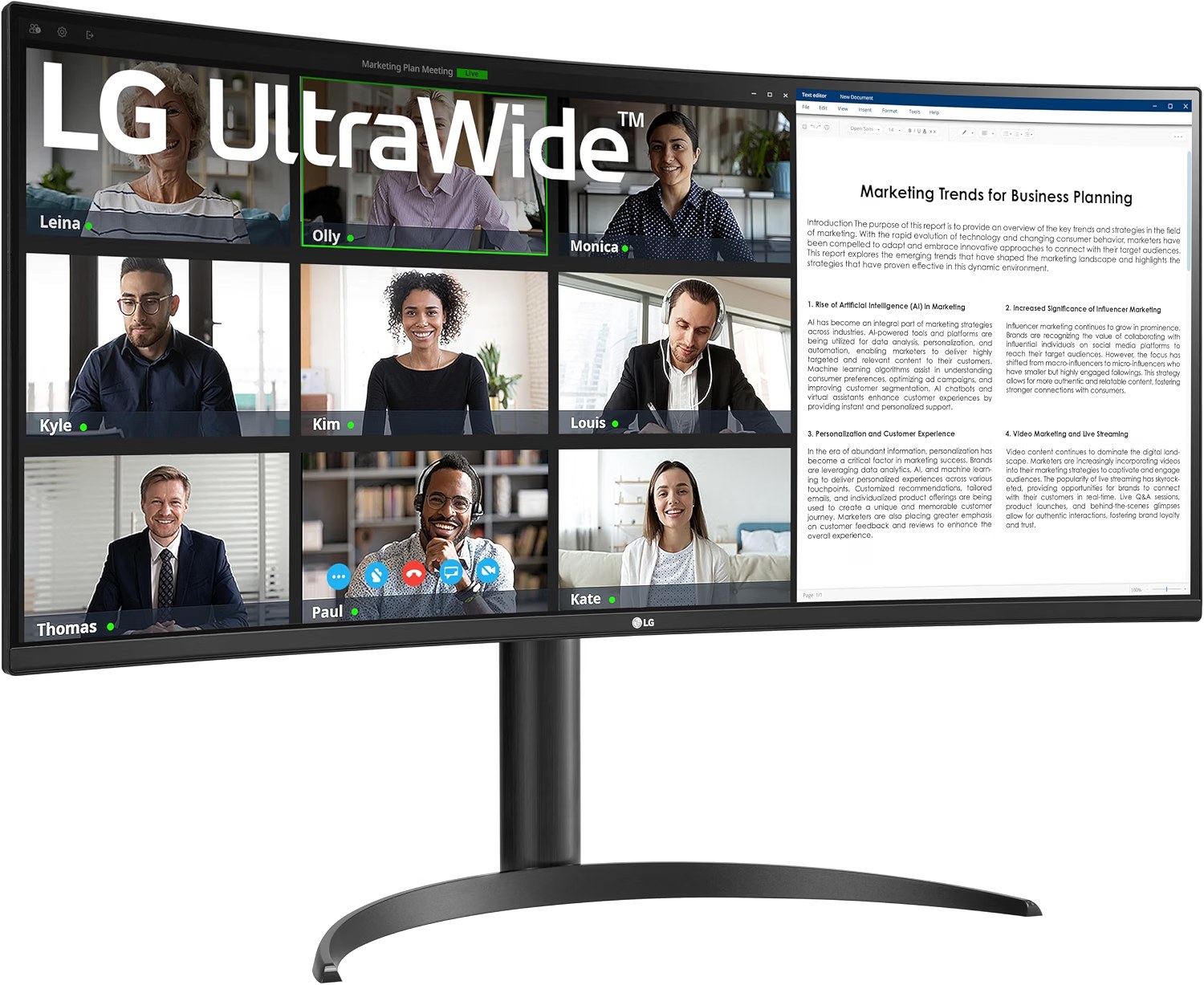
Price: ~$259.99 | Screen: 34 in VA, 3440 x 1440, 1800R curve | Density: 110 PPI | Refresh: 100 Hz | Laptop power: 65W USB-C | Stand: height and tilt | Our score: 4.1/5
Plenty of developers live in three panes: editor, terminal and browser preview. For them, one 34-inch ultrawide replaces two screens and removes the bezel in the middle.
At about $259.99, this LG is the cheapest way here to get that layout with USB-C charging.
What you see on 3440 x 1440
Specifically, three 1146-pixel columns fit side by side, enough for code, tests and docs. Even so, its height matches a 27-inch 1440p screen, so it shows no extra lines.
Its 110 PPI looks fine at 100% scaling on Windows. On a Mac, however, text looks noticeably softer, because macOS dropped subpixel font smoothing years ago.
Fit and build
It weighs 11 lb without the stand, so both arms below can hold it. Its stand adds 110 mm of height and tilt, but no swivel or pivot.
Meanwhile, the 1800R curve keeps the edges at an even distance from your eyes. Also, LG uses a VA panel here, with deep blacks for dark themes but weaker colour at an angle.
What buyers report
Buyers say it handles text and spreadsheets well and sits as tall as a 27-inch screen. Even so, picture quality draws mixed reviews, mostly from people who expected IPS colours.
LG does not show a US warranty length on the listing we checked. Against the Dell S2725QC, it costs $40 less but gives up 53 PPI.
Wrong screen if: you code on a Mac and care about crisp text. Instead, take the ASUS ProArt or the Dell S2725QC.
Pros
- Three code panes on one screen for about $260
- 65W USB-C and a height stand
- 100 Hz with deep blacks for dark themes
Cons
- 110 PPI looks soft on macOS
- VA panel colours shift at an angle
6. Dell UltraSharp U2725QE: Best Thunderbolt Monitor for a Laptop Dock
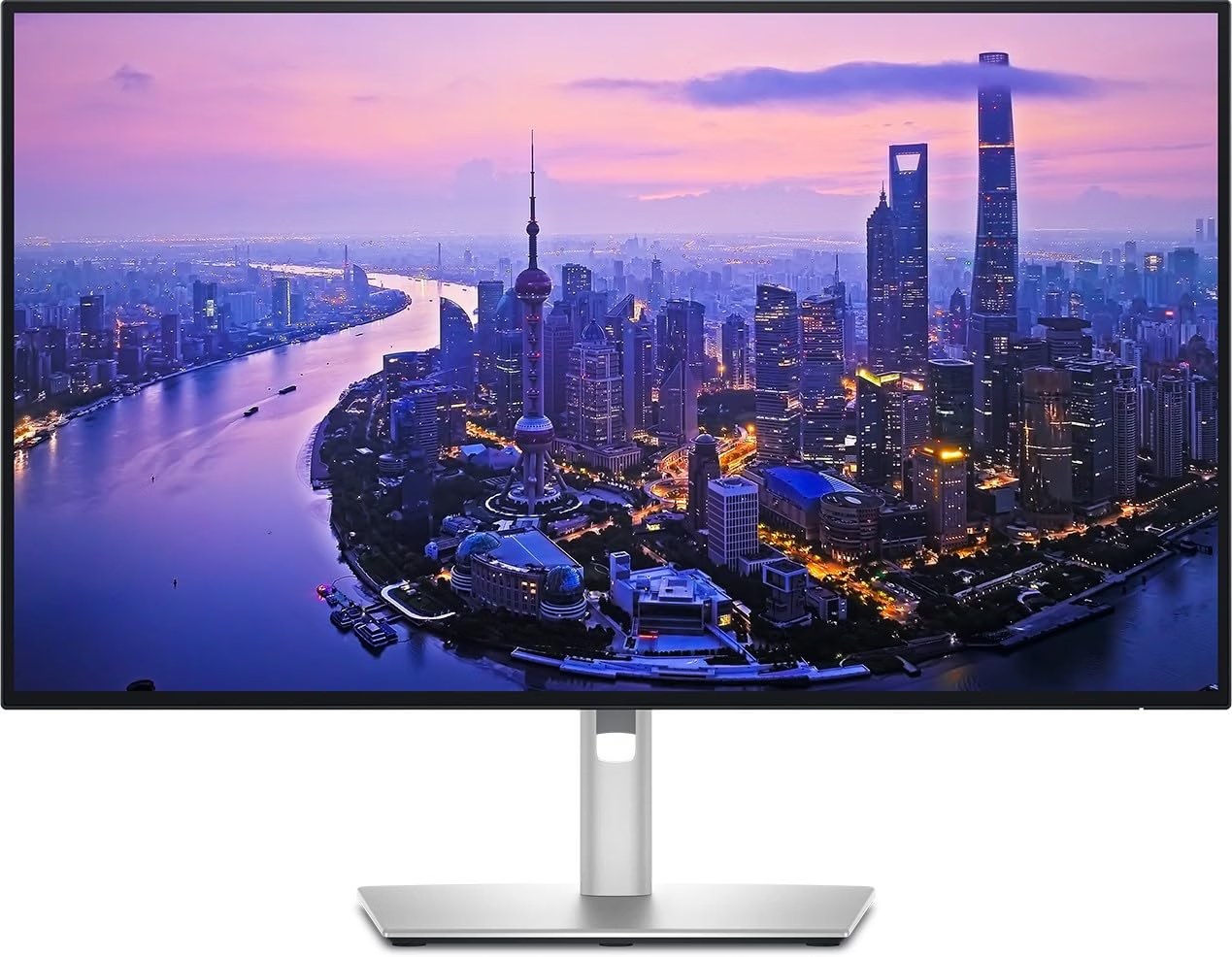
Price: ~$699.00 | Screen: 27 in IPS Black, 3840 x 2160, 3000:1 contrast | Density: 163 PPI | Refresh: 120 Hz | Laptop power: 140W Thunderbolt 4 | Stand: height, tilt, swivel, pivot | Our score: 4.2/5
If you carry a 16-inch laptop between desks, then this screen replaces your dock. One Thunderbolt 4 cable carries video, data and up to 140W of power.
That is enough for a MacBook Pro 16 under a heavy build. By comparison, every other pick here stops at 96W or less.
Ports for a full desk
A pop-out hub puts two 10 Gbps USB-C ports and a USB-A port at the front. In addition, the back holds four more USB-A ports, HDMI 2.1, DisplayPort 1.4 and a Thunderbolt out port.
The IPS Black panel reaches 3000:1 contrast, which makes dark editor themes look deeper. Besides that, Dell rates it at 600 nits and Delta E under 1.5 out of the box.
Buying it right now
At the time of writing, an independent seller listed it with only 4 in stock and no reviews. So check the seller’s return terms and the Dell warranty before you order.
It replaces the U2723QE from our old list, which now costs the same $699 from a third party. For that reason, we picked the newer 120 Hz model.
Compared to the Dell S2725QC, it costs about $400 more for Thunderbolt, 75W more charging and a bigger hub. For a 13-inch laptop, that extra money buys little.
Not for you if: your laptop charges happily on 65W. In that case, the S2725QC gives you the same 163 PPI for much less.
Pros
- 140W Thunderbolt 4 powers 16-inch laptops
- Pop-out hub with fast front ports
- 120 Hz and 3000:1 contrast
Cons
- Independent seller and low stock at the time of writing
- Expensive if you do not need Thunderbolt
7. Dell P2425H: Best Vertical Monitor for Programming as a Second Screen
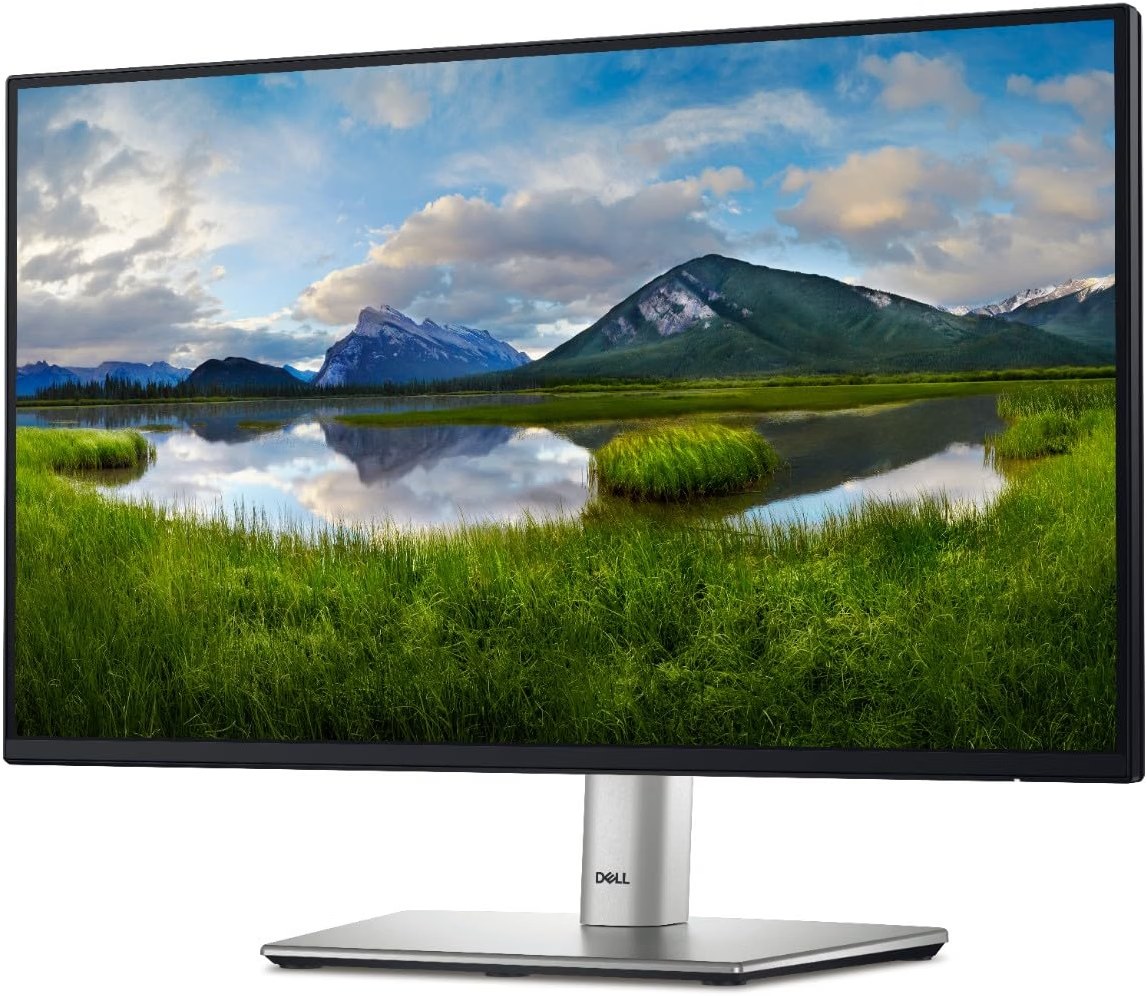
Price: ~$178.49 | Screen: 23.8 in IPS, 1920 x 1080 | Density: 93 PPI | Refresh: 100 Hz | Stand: height 150 mm, swivel, pivot to portrait | Warranty: 3 years (Dell) | Our score: 4.0/5
A vertical screen is for reading, not writing. Logs, pull request diffs, docs and Slack all scroll down, and portrait shows about 1920 pixels of them at once.
Because this Dell turns 90 degrees either way on its stand, you need no arm. At about $178, it is also the cheapest way to add that column beside any pick above.
Fit beside your main screen
In portrait, it stands about 21 inches tall, well above a 27-inch screen in landscape. Because the stand adjusts 150 mm, you can centre it on your eye line.
However, the panel alone weighs 6.9 lb, below the Ergotron LX’s 7 lb minimum. So on an arm, use the HUANUO, which starts at 4.4 lb per side.
Where it falls short
At 93 PPI, small fonts look soft, so set it to 100% and use it for reading. Also, its USB-C port moves data and gives 15W, so it cannot charge a laptop.
An independent seller listed it on 17 November. Even so, Dell backs it with a 3-year limited hardware warranty.
Skip it when: you want one screen for everything. Then a pivoting 4K screen like the Dell S2725QC serves both roles.
Pros
- Pivots to portrait on its own stand
- 150 mm of height to match your main screen
- 3-year Dell warranty
Cons
- 93 PPI makes small text soft
- No laptop charging over USB-C
What Size Monitor Is Best for Programming?
For most developers, a 27-inch 4K monitor is the best size for programming. It gives 163 PPI, so text stays sharp, and fits a 60 cm deep desk.
By comparison, a 32-inch 4K suits larger fonts and deeper desks. Meanwhile, a 34-inch ultrawide suits three-pane layouts, and a 27-inch 5K suits Macs.
| Size and resolution | PPI | Typical scaling | Rough lines of code (landscape) | Best for | Our pick |
|---|---|---|---|---|---|
| 27 in 4K (3840 x 2160) | 163 | 150%, or “looks like 2560 x 1440” on Mac | About 60 | Most coders, most desks | Dell S2725QC |
| 28.2 in 3:2 (3840 x 2560) | 164 | 150% | About 75 | Long files without pivot | BenQ RD280U |
| 32 in 4K (3840 x 2160) | 140 | 125% | About 70 | Bigger fonts, deeper desks | BenQ RD320UA |
| 34 in ultrawide (3440 x 1440) | 110 | 100% | About 60 | Three panes side by side | LG 34WR55QK-B |
| 27 in 5K (5120 x 2880) | 218 | “Looks like 2560 x 1440” | About 60 | MacBook and Mac mini | ASUS ProArt PA27JCV |
To be clear, the line counts assume a 14 px font and an editor with tabs and a status bar. Your theme and font change the result, so treat them as a guide.
27 Inch vs 32 Inch Monitor for Programming
Pick 27 inches if you sit close or code on a shallow desk. Instead, pick 32 inches if you sit about 80 cm away or want 15 px fonts without losing panes.
Both sizes usually ship at 4K, so a 32-inch screen does not show more code by default. Instead, it shows the same code larger, unless you lower the scaling.
Is 4K Worth It for Programming, or Is 1440p Enough?
Yes, 4K is worth it at 27 inches, because text jumps from 109 to 163 PPI. Indeed, that difference shows most on thin code fonts and small UI text.
Of course, a 27-inch 1440p screen still works fine at 100% scaling. Even so, the price gap has shrunk, since the Dell S2725QC costs about $300.
What about 6K? At 32 inches, 6K reaches about 224 PPI.
Still, prices start far above every pick here. For coding alone, 4K or 5K covers it.
Why Does Text Look Blurry on a 4K Monitor With a Mac?
macOS renders sharp text at exactly 2x, which means about 218 PPI on a desk monitor. Since most 4K screens fall short of that, macOS scales the image down.
At “looks like 2560 x 1440” on a 27-inch 4K, the result is close to crisp. On a 34-inch 1440p ultrawide, however, macOS runs at 1x, and text looks soft.
So for a MacBook or Mac mini, choose 5K at 27 inches or 4K at 27 inches. Equally, avoid 1440p screens if text clarity matters to you.
Which Monitors Are Best for Minimizing Reflections?
Monitors with a matte, anti-glare coating reduce reflections best, such as BenQ’s Nano Matte panels. In contrast, glossy screens and many OLEDs reflect windows and lamps far more.
Both BenQ picks use Nano Matte, and the ASUS ProArt uses a low-reflection coating. If your desk faces a window, then those three handle it best.
Curved, OLED or High Refresh Rate: Do Coders Need Them?
A curve helps at 34 inches and above, and it hurts little at smaller sizes. Below that size, a flat panel is easier to mount in portrait or pair with a second screen.
OLED looks stunning, but static IDE panels risk burn-in, and some layouts show colour fringes on text. For that reason, IPS remains the safer choice for code.
Finally, refresh rate matters less than you think. Still, 100 to 120 Hz makes scrolling through long files feel smoother than 60 Hz.
Vertical Monitor for Programming: Is Portrait Mode Worth It?
Yes, for reading long files, logs and docs. That is because a 4K screen turned upright shows about 3840 pixels of height, close to twice its landscape view.
Our own 27-inch 4K shows about 60 lines in landscape and about 110 in portrait at 14 px. That is why so many developers keep one screen upright.
| Pick | Pivots on its stand? | Portrait height |
|---|---|---|
| Dell S2725QC | Yes | 3840 px |
| BenQ RD320UA | Yes, on its arm | 3840 px |
| ASUS ProArt PA27JCV | Yes | 5120 px |
| Dell UltraSharp U2725QE | Yes | 3840 px |
| Dell P2425H | Yes | 1920 px |
| BenQ RD280U | Not listed, use an arm | 3840 px |
| LG 34WR55QK-B | No | Not suitable |
Beyond 27 inches, though, a screen in portrait gets too tall for comfortable reading. So keep 32-inch and ultrawide screens in landscape, and turn a 24 or 27-inch screen upright.
Best Monitor Setup for Coding: Dual, Ultrawide or One Tall Screen?
The best monitor setup for coding is one sharp main screen plus a vertical second screen. In other words, it pairs a place to write with a place to read.
Each layout suits a different way of working:
- One tall screen: the BenQ RD280U alone, about $550, suits small desks and one-cable laptop setups.
- Dual monitors: a Dell S2725QC plus a Dell P2425H in portrait costs about $478 and gives the most total pixels.
- Ultrawide: the LG 34WR55QK-B, about $260, suits three side-by-side panes with no bezel in the middle.
- Laptop plus one screen: any pick above with USB-C power, with the laptop screen as a chat or docs panel.
Dual Monitors vs Ultrawide for Programming
Dual monitors beat an ultrawide when you want one screen in portrait. By contrast, an ultrawide wins when you want a seamless canvas and one cable.
Together, two 27-inch 4K screens give 8.3 million pixels each, while the LG ultrawide gives 5 million in total. On the other hand, two screens need two cables, more desk and often a dual arm.
For the best dual monitor setup for programming, match the heights first. Then line up the top edges, and put the screen you type into straight ahead.
Travelling Developer Setup
When we travel, we pair our laptop with whatever screen the coworking space offers. For a home base, though, one USB-C monitor means a single cable when you land.
As for the hotel desk, a portable monitor solves it, and our portable monitor guide is coming soon. For the bag itself, see what is in our tech backpack.
Monitor Arms for Developers: Are They Worth It?
Yes, a monitor arm for developers is worth it on a shallow desk, or when you want portrait mode. It lifts the screen to eye level and returns 20 to 25 cm of desk depth.
Before you buy, match the arm to three numbers: monitor weight, VESA pattern and desk thickness. Luckily, every pick here uses VESA 100 x 100, except the BenQ RD320UA, which ships on its own arm.
| Your monitor (no stand) | Weight | Ergotron LX (7 to 25 lb) | HUANUO FlowLift (4.4 to 19.8 lb per arm) |
|---|---|---|---|
| BenQ RD280U | 16.5 lb | Fits | Fits |
| ASUS ProArt PA27JCV | 9.1 lb | Fits | Fits |
| LG 34WR55QK-B | 11.0 lb | Fits | Over 32 in, so no |
| Dell P2425H | 6.9 lb | Too light | Fits |
| Dell S2725QC | Not published | Check Dell’s spec sheet | Check Dell’s spec sheet |
Note that this page covers arms for a coding desk only. A full monitor arm buying guide is coming soon as a separate article.
Ergotron LX: Best Single Monitor Arm for Programming
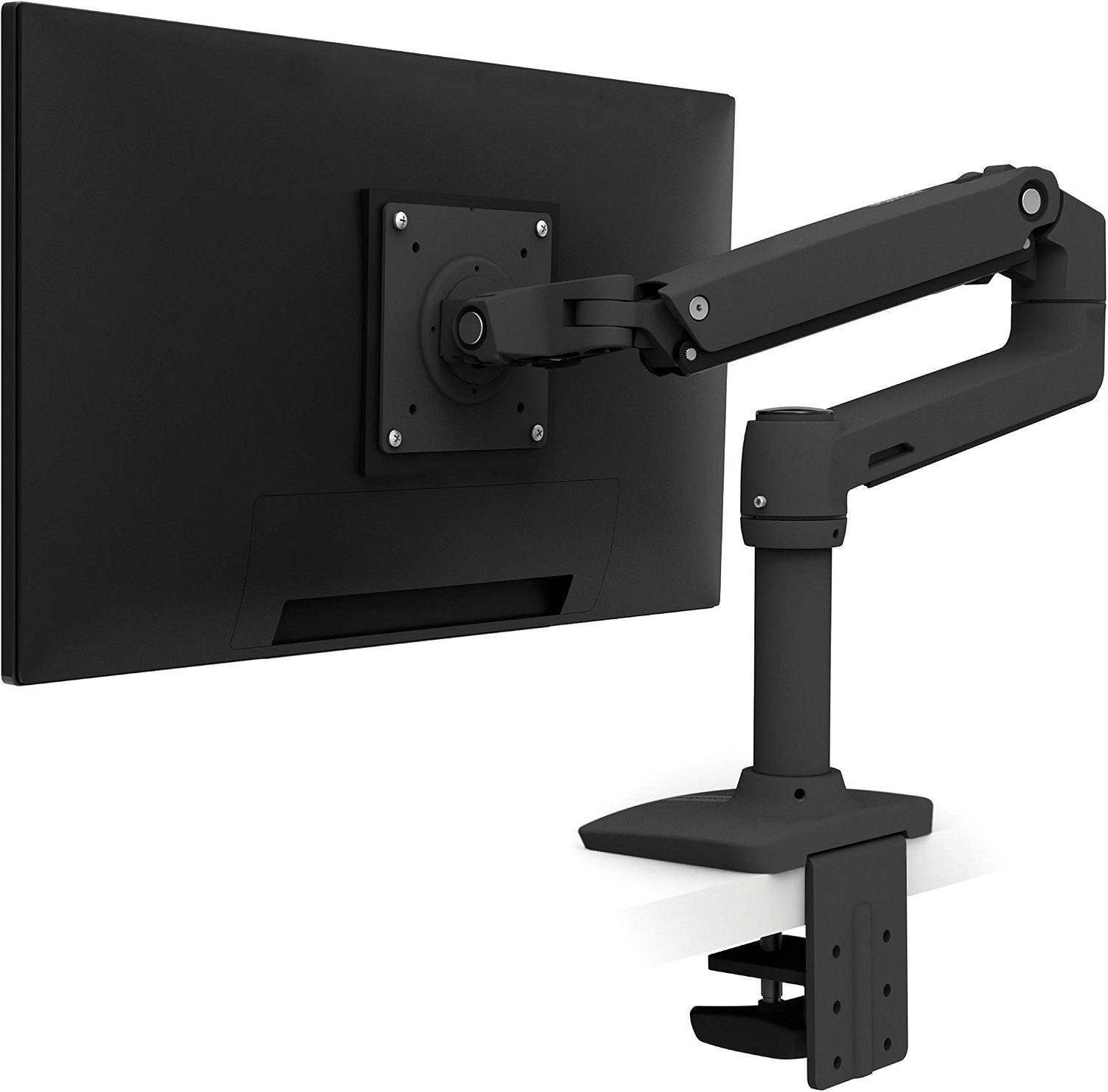
Price: ~$199.99 | Holds: 7 to 25 lb, screens up to 34 in | Lift: 13 in | Tilt: 75 degrees, 360 degree pan and rotation | Clamp: desks 0.4 to 2.4 in thick | Warranty: 10 years (Ergotron) | Our score: 4.6/5
Simply put, this is the arm to buy once and keep for a decade. Indeed, it holds every heavier screen on our list, including the 16.5 lb BenQ RD280U and the LG ultrawide.
Its 13 inches of lift and full rotation turn the RD280U portrait-ready, which its own stand cannot do. Above 20 lb, though, vertical travel drops by up to 4.5 inches.
Typically, buyers report a sturdy aluminium arm with no sag, and about 10 minutes to fit. Some still find it wobbles when they type hard on a thin desk.
Meanwhile, one retailer now lists this part number as discontinued, replaced by the LX Pro. So if stock runs out, the LX Pro is the like-for-like swap.
Skip if: your screen weighs under 7 lb, like the Dell P2425H. Then the HUANUO’s lower minimum fits better.
Pros
- Holds 7 to 25 lb and screens up to 34 inches
- 13 inches of lift with full rotation for portrait
- 10-year warranty
Cons
- About $200 for a single screen
- Reduced travel with screens over 20 lb
HUANUO FlowLift Dual Monitor Arm: Best Budget Dual Monitor Arm
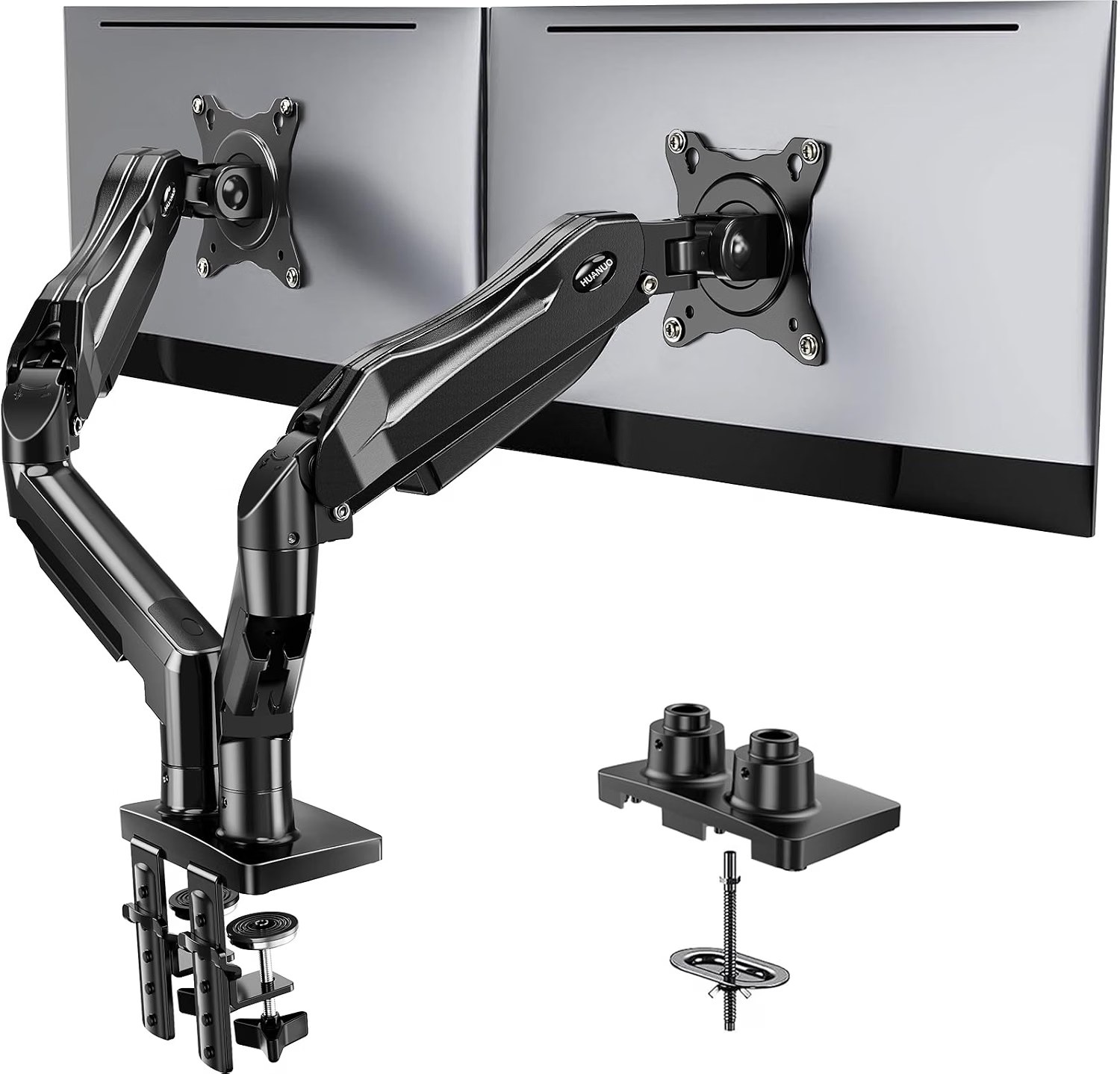
Price: ~$69.99 | Holds: 2 screens, 13 to 32 in, 4.4 to 19.8 lb each | Mount: C-clamp or grommet | VESA: 75 x 75 or 100 x 100 | Our score: 4.2/5
For a dual setup with one screen upright, this arm costs less than one Ergotron. Better still, each side holds 4.4 to 19.8 lb, which covers the Dell P2425H and the ASUS ProArt.
Generally, buyers like how much desk it frees and how firmly it holds screens. However, tension setup and range of motion draw mixed reports, and so do the cable channels.
Set the tension before you fit the monitor, and tighten it in small turns. Otherwise, the arm may drift up or sag during the first week.
Unfortunately, it will not hold the 34-inch LG, because it stops at 32 inches. For that screen, the Ergotron LX is the right arm.
Not for you if: you run one heavy ultrawide. In that case, a single Ergotron LX is steadier.
Pros
- Two arms for about $70
- Low 4.4 lb minimum suits light 24-inch screens
- Clamp or grommet mount
Cons
- Tension takes trial and error
- Stops at 32-inch screens
Best Monitor for Programming FAQs
For most developers, the BenQ RD280U is the best monitor for programming, at about $549.99. Its 3:2 panel shows more lines of code, at a sharp 164 PPI.
Generally, a 27-inch 4K monitor suits most coders, like the Dell S2725QC at about $299.99. Choose 32 inches only if you sit further back or want bigger fonts.
Yes, if you work in three panes side by side, and the LG 34WR55QK-B does it for about $259.99. However, two screens suit you better if you want one in portrait.
Since code, logs and docs scroll down, a vertical screen shows nearly twice as many lines. The Dell P2425H pivots to portrait for about $178.49.
Above all, the ASUS ProArt PA27JCV fits best, at about $699. Its 218 PPI 5K panel matches macOS scaling, and 96W USB-C charges the laptop.
Not always, although an arm helps on shallow desks and for portrait mode. The Ergotron LX holds up to 25 lb, and the HUANUO FlowLift carries two screens for about $69.99.
Final Verdict: The Best Monitor for Programming in 2026
Buy the BenQ RD280U if you want one screen that shows the most code. For about $549.99, you get a 3:2 panel, 164 PPI text and 90W charging.
On a budget, the Dell S2725QC gives you sharp 4K and pivot for about $300. Meanwhile, Mac users should take the ASUS ProArt PA27JCV for its 5K clarity.
Before anything else, measure your desk depth and laptop charger wattage before you order. Then add an arm or a vertical second screen once the main monitor feels right.
Keep reading
- Remote developer setup guide: our pillar for building a work-from-anywhere desk.
- Developer gear guide: every piece of kit we rate for coding on the move.
- Best keyboard for programming: the other half of a comfortable coding desk.
- Mac apps for developers: tools that make a big external screen pay off.
- Essential VS Code shortcuts for Mac: move between panes faster on your new monitor.
- Dev tools for remote developers: the software side of a portable coding stack.

