


Search “remote work productivity tools,” and you get a list built for a manager buying software for a forty-person team. Useful if that’s you. It isn’t most of us.
The real question for a roaming developer is smaller and harder: how do you stay focused in a noisy café, and how do you stay a reliable teammate when your colleagues are fast asleep as you start your day?
That’s a personal problem and an async one, and almost nobody writes about it from your chair.
Two things keep a distributed developer effective: personal systems that keep you shipping wherever you are, and async habits that make your progress visible to a team you rarely overlap with.
Tools help with both, but here’s the truth the roundups bury: the habit matters more than the app, and you need far fewer tools than they’re trying to sell you.
This guide to productivity and collaboration for remote developers splits into those two halves, staying productive and collaborating async, with a full guide under each.
As always, treat it as a menu that grows, not a fixed prescription.
Part one: staying productive
Your output is only as good as your ability to focus and account for your time, and both get harder when your office is a rotating cast of cafés and coworking spaces.
Track your time, especially if you freelance
For a freelancer, this is the productivity tool that actually pays the rent, because every hour you forget to log is an hour you never bill.
A good tracker turns loose time into clean invoices, and the automatic ones capture the minutes you’d otherwise lose to context-switching.
Even salaried developers benefit from seeing where the day really goes. Start with our roundup of the best time tracking apps.
Protect your focus
A café’s buzz is pleasant until you’re three tabs deep in someone else’s Slack and a bug that needs silence.
Focus tools help, whether that’s a distraction blocker that locks you out of the time-sink sites, an automatic tracker that shows how fragmented your day really was, or a simple timer that gets you started.
The point isn’t the technique; it’s protecting the deep-work blocks that development actually requires. We compare the options in the focus and distraction-blocker guide.
Manage tasks and notes
A clear head starts with getting everything out of it.
A task manager you trust means you stop carrying deadlines around in your skull, and a solid notes system keeps decisions, snippets, and half-formed ideas somewhere you can find them later.
Developers tend to land on something fast and keyboard-driven rather than heavy and corporate. Find the picks in the task manager guide and the note-taking guide.
Do deep work in shallow places
Focus is a skill as much as a toolset, and the road tests it constantly.
Noise-cancelling headphones, a fixed start ritual, and a scouted quiet spot do more than any app to protect a real block of concentration.
The deep work on the road guide covers the habits that hold up when your environment won’t sit still.
Part two: collaborating async
Here’s the skill that quietly decides whether remote work works for you.
When your team is offline for most of your day, you can’t lean on quick chats and hallway questions. You have to make your work move without you in the room, and that’s a craft.
Master async communication first
Before any tool, learn the habit: write clearly, share context, and update people before they have to ask.
Around 62% of remote workers now prefer async communication, and the reason is simple, it protects deep work and respects time zones.
That means a well-written message beats a hasty call, and threaded tools like Twist or Slack used with async discipline beat a firehose of pings.
The async communication guide covers the habits and the tools together, because one without the other fails.
Make your progress visible
The cardinal rule of distributed work: nobody should have to wonder what you shipped while they slept.
A clear standup update, a pull request with a proper description, a ticket moved with a note on why, all of it lets the team keep moving in your absence.
Async video tools like Loom turn a six-person meeting into a three-minute recording people watch on their own time, with feedback left at the exact timestamp.
See the async video guide for how developers use it well.
The developer’s collaboration stack
Generic remote-work lists point you at Miro and Figma. Useful for design teams, beside the point for most engineering work.
Your real collaboration happens in a tight, familiar set: a task tracker like Linear or Jira, code review through GitHub or GitLab pull requests, and a chat tool for the rest.
When you genuinely need to code together, pair-programming tools like Tuple give you low-latency shared control that a screen share can’t.
We break down the engineering-focused stack in the developer collaboration guide and the pair programming guide.
Working across timezones
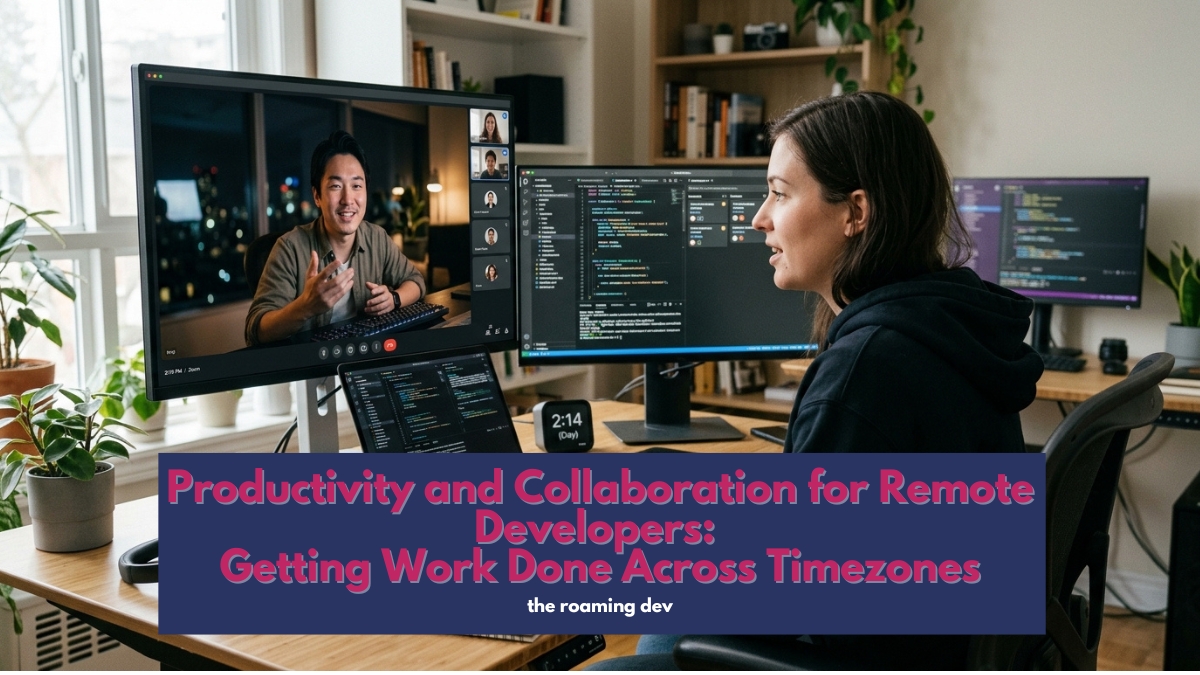
When your team spans continents, time zones become the thing you actually manage.
A shared calendar that shows everyone’s real hours, a scheduling tool that finds humane overlap, and a team agreement on core hours all cut the pain.
The timezone tools guide covers what keeps a scattered team roughly in sync.
Beyond the basics: worth exploring
Once the core habits and tools are in place, developers add pieces that fit how they personally work:
- A predictive scheduler like Motion or Reclaim that defends focus time on your calendar automatically.
- A personal knowledge base in something like Obsidian, for the snippets and decisions you keep reaching for.
- Meeting-notes automation so the few live calls you do have write themselves up.
- A weekly review ritual, which is a habit rather than a tool, and arguably the highest-leverage one here.
Found a system that keeps you shipping on the road? This section grows as roaming developers share what works.
How to build your setup, in order
Starting from scratch? Layer it like this. Get a time tracker running first, especially if you invoice clients, because unbilled time is lost money.
Add a task manager and a notes system so nothing lives only in your head.
Then work on the async habits, since those matter more than any app, and reach for tools like Loom and a threaded chat to support them.
Sort your timezone and scheduling last, once you know your team’s rhythm. Keep the stack small. The goal is fewer tools doing more, not a dashboard for every feeling.
Frequently asked questions
At the core: a time tracker (essential for freelancers who bill), a task manager, and a notes system. Add focus tools if distraction is a problem.
Most developers need fewer tools than the roundups suggest.
A task tracker like Linear or Jira, code review through GitHub or GitLab, a chat tool used with async discipline, and async video like Loom. For coding together, a pair-programming tool such as Tuple.
By working async. Make progress visible through clear written updates and pull requests, prefer recorded video to live meetings, and use a scheduling tool to find humane overlap when a live call is genuinely needed.
Async communication. Writing clearly and making your work visible so the team moves while you’re offline matters more than any tool. The apps only help once the habit is in place.
Combine noise-cancelling headphones, a fixed start ritual, and a distraction blocker for the worst sites.
Focus is a habit first and a toolset second, and it holds up better when your environment doesn’t.
The bottom line
Productivity and collaboration for remote developers really come down to two habits with a little tooling on top: protect your focus and account for your time, then make your work so visible that a sleeping team can still move without you.
Get those right, and you become the rare distributed developer people trust completely, no matter which timezone you happen to be in this month.
Also Read:
- Remote Developer Setup: The Complete Work-From-Anywhere Guide (2026)
- Remote Developer Gear: The Hardware Kit That Actually Matters (2026)
- Dev Tools for Remote Developers: Building a Portable Coding Stack (2026)
- Connectivity and Security for Remote Developers: Staying Online and Safe Anywhere (2026)
