


Close Menu
The Roaming DevThe Roaming Dev

    Subscribe to Updates

    What's Hot

    Productivity and Collaboration for Remote Developers: Getting Work Done Across Time Zones (2026)

    September 9, 2026

    Connectivity and Security for Remote Developers: Staying Online and Safe Anywhere (2026)

    September 9, 2026

    Dev Tools for Remote Developers: Building a Portable Coding Stack (2026)

    September 9, 2026
    Facebook X (Twitter) Instagram
    The Roaming DevThe Roaming Dev
    X (Twitter) Instagram Pinterest Reddit
    Subscribe Now
    • Home
    • About Us
    • Where to base
      1. Accomodation
      2. Best Places For Remote Devs
      3. Destination guides
      4. Coworking & wifi
      5. Travel Logistics
      Featured
      Best Places For Remote Devs

      Best Cities for Remote Developers (2026 Guide)

      June 3, 2026
      Recent

      Best Cities for Remote Developers (2026 Guide)

      June 3, 2026

      Best Places to Travel in Winter: Escape the Cold in 2025

      August 1, 2025

      Best Places to Visit in Europe in October for Fall Getaways

      July 4, 2025
    • Mobile Set-Up
      1. Connectivity and Security
      2. Dev tools & editor setup
      3. Laptops & portable hardware
      4. Productivity & collaboration
      5. View All

      Connectivity and Security for Remote Developers: Staying Online and Safe Anywhere (2026)

      September 9, 2026

      What Is Digital Nomadism? The State of Digital Nomadism in 2024

      July 11, 2024

      How to Become a Digital Nomad in 2024 (Pros, Cons, and Common Jobs)

      February 28, 2024

      Dev Tools for Remote Developers: Building a Portable Coding Stack (2026)

      September 9, 2026

      Best Python Frameworks for Web Development: A 2025 Guide

      September 22, 2025

      Best Open Source VPN: Secure Your Connection for Free

      September 1, 2025

      Best Open Source Software for Developers: Top Picks for 2025

      August 3, 2025

      Remote Developer Gear: The Hardware Kit That Actually Matters (2026)

      September 9, 2026

      Best Speakers For Mac Mini: Enhance Your Audio Experience

      September 2, 2025

      Best Monitor for Mac Mini: Ultimate Buyer’s Guide

      August 5, 2025

      Best Monitor for Developers: Upgrade Your Coding Setup

      August 2, 2025

      Productivity and Collaboration for Remote Developers: Getting Work Done Across Time Zones (2026)

      September 9, 2026

      7 Reasons Why is Laravel the best PHP framework in 2024?

      March 30, 2023

      Best Mac Time Tracking Apps for Developers (2026)

      January 30, 2023

      How To Become a PHP Developer in 2024 [Step By Step Beginner’s Guide]

      January 25, 2023

      Productivity and Collaboration for Remote Developers: Getting Work Done Across Time Zones (2026)

      September 9, 2026

      Connectivity and Security for Remote Developers: Staying Online and Safe Anywhere (2026)

      September 9, 2026

      Dev Tools for Remote Developers: Building a Portable Coding Stack (2026)

      September 9, 2026

      Remote Developer Gear: The Hardware Kit That Actually Matters (2026)

      September 9, 2026
    • Nomad Logistics
      • Banking & payments
      • Insurance & health
      • Taxes for remote workers
      • Visas & residency
    • Dev Careers
      1. Remote dev jobs & roles
      2. Freelancing & contracting
      3. View All

      Jobs for Americans in Europe: Ultimate Guide (2025)

      January 5, 2025

      17 Best Work-From-Home Jobs Requiring No Experience

      January 4, 2025

      LiveOps Reviews 2024: 11 Things To Know Before Signing Up

      November 3, 2024

      TranscribeMe Reviews 2024: 11 Things To Know Before Signing Up

      November 1, 2024

      Best AI for Coding: Free & Paid Options for Developers

      August 7, 2025

      Best Open Source LLM in 2025: The Ultimate Guide for Developers

      August 4, 2025

      Remote Developer Jobs: The Complete Work-From-Anywhere Guide

      June 3, 2026

      Best AI for Coding: Free & Paid Options for Developers

      August 7, 2025

      Best Open Source LLM in 2025: The Ultimate Guide for Developers

      August 4, 2025

      Jobs for Americans in Europe: Ultimate Guide (2025)

      January 5, 2025
    • Contact
    The Roaming DevThe Roaming Dev
    Dev Tools for Remote Developers: Building a Portable Coding Stack (2026)
    Dev tools & editor setup

    Dev Tools for Remote Developers: Building a Portable Coding Stack (2026)

    NyamweruBy NyamweruSeptember 9, 2026Updated:September 9, 2026No Comments8 Mins Read
    Facebook Twitter Pinterest LinkedIn Tumblr WhatsApp Telegram Email
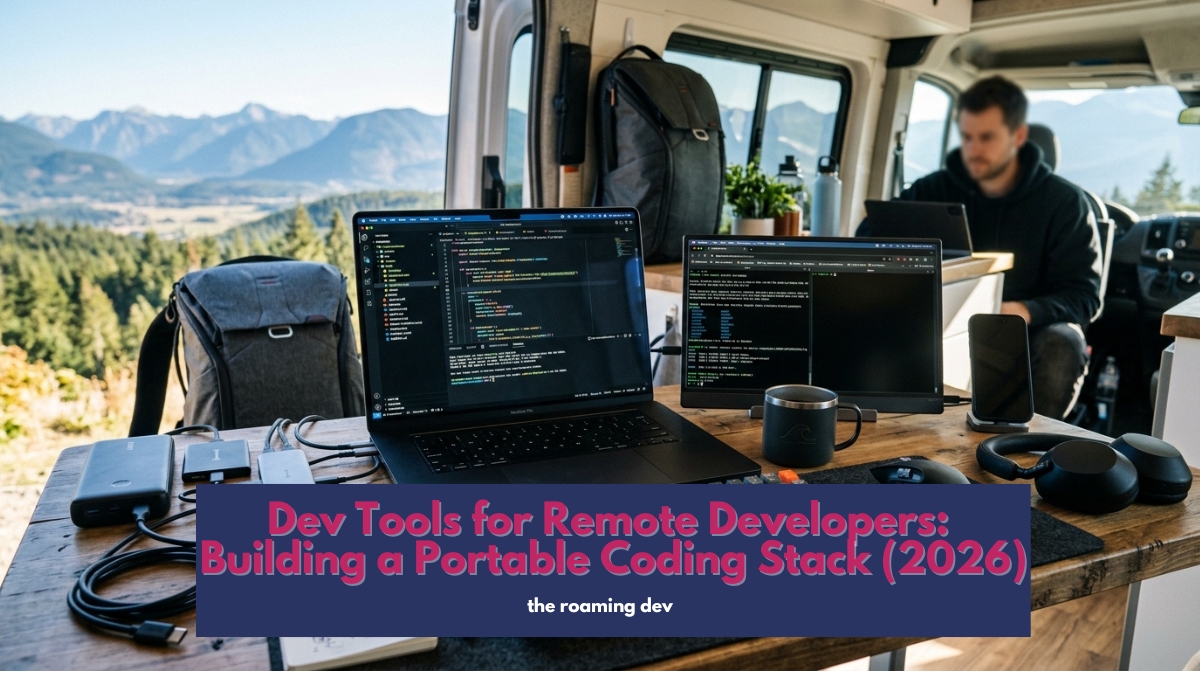
    featured image of Dev Tools for Remote Developers: Building a Portable Coding Stack (2026)
    Share
    Facebook Twitter LinkedIn Pinterest Email

    Most “best developer tools” lists start with the wrong argument. They rank editors, pit Copilot against Cursor, and hand you a stack of twelve logos.

    All useful, none of it the first question a roaming developer should ask.

    When you move between a flat in Lisbon, a café in Mexico City, and a train somewhere in between, the thing that decides whether you can work isn’t your editor.

    It’s where your code actually runs, and how quickly you can rebuild your whole setup on a machine you’ve never touched. Get that right and everything else is a preference.

    A portable coding stack has four moving parts: a cloud dev environment where your code runs, an editor that connects to it, a reproducible setup you can rebuild in minutes, and the tools you deploy and ship with.

    Sort those and your laptop becomes a swappable window onto a workspace that lives in the cloud, not on the metal in your bag.

    This page is the map to the dev tools for remote developers worth your time.

    It works through the tools by what they do for a developer on the move, and points you to a full guide on each.

    Treat it as a starting point, not a finished list, because the right toolkit is the one shaped around how you personally build.

    Table of Contents

    Toggle
    • Start here: where does your code run?
    • Your editor
    • A setup you can rebuild anywhere
    • AI coding assistants
    • Shipping from anywhere: deployment tools
    • The supporting cast
    • Beyond the basics: worth exploring
    • Local or cloud: which setup is right for you?
    • How to set it up, in order
    • Frequently asked questions
    • The bottom line

    Start here: where does your code run?

    Before you argue about editors, answer the bigger question. Run everything on the laptop, and you’re tied to that machine, its battery, and its odds of surviving the trip.

    Run it on a cloud dev environment instead, and your laptop turns into a thin client connecting to a server that does the heavy lifting.

    GitHub Codespaces spins up a full workspace in the browser in seconds. A small VPS reached over SSH gives you the same thing with more control for a few dollars a month.

    Either way, a dead or stolen laptop costs you minutes, not days. This is the foundation the whole stack rests on, and we walk through the options in the cloud development environment guide.

    Your editor

    Now the holy war. The honest truth in 2026 is that they’re all good, so pick the one that disappears while you write.

    VS Code stays the default for a reason: a huge extension ecosystem, built-in Git, and first-class remote development over SSH and containers.

    JetBrains IDEs trade weight for depth, which pays off on big enterprise codebases.

    Neovim starts in under a second, sips memory, and runs anywhere, including straight on a remote server, which terminal lovers adore.

    Zed is the fast Rust newcomer built around speed and collaboration. What matters for a roaming dev is that your editor connects cleanly to that cloud environment above.

    We compare them properly in the best code editors guide and the VS Code remote development guide.

    A setup you can rebuild anywhere

    Here’s the trick that makes a new laptop boring instead of stressful. Keep your configuration in version control.

    Your shell, your aliases, your editor settings, your language versions all live in a dotfiles repo, so a borrowed or replacement machine goes from blank to fully yours in ten minutes.

    Editor settings sync handles the rest. This is the single most underrated part of a remote developer’s toolkit, and it’s the difference between a lost laptop being a catastrophe or a shrug.

    The dotfiles and reproducible setup guide shows you how to build one from scratch.

    AI coding assistants

    In 2026, coding without AI assistance is like refusing a compiler. The field moved fast, so you have real choices.

    GitHub Copilot is the safe default inside VS Code. Cursor rebuilt VS Code around AI and is genuinely quicker for multi-file work.

    Windsurf takes a similar agentic approach. Claude Code and other terminal-based assistants have become a staple for developers who live in the shell.

    Which one wins depends on your workflow and how much of your day is spent in the editor versus the terminal, and we break down the current field in the AI coding assistants guide.

    Shipping from anywhere: deployment tools

    Deploying should not mean SSHing into a server at 2am from a hostel connection. The modern answer is deployment you can drive from a browser.

    Platforms like Vercel and Netlify take a Git push and put your frontend live automatically.

    For PHP and full-stack apps, a tool like Laravel Forge provisions and deploys production servers from a dashboard, so you stay a developer instead of becoming an accidental sysadmin.

    The deployment tools guide covers the options by stack.

    The supporting cast

    A few more tools round out a working stack, and each has its own guide in this section.

    Docker keeps your environments consistent between your machine, your cloud workspace, and production, which matters even more when you’re switching devices.

    A solid Git and GitHub workflow is the backbone of everything. API developers want a good client, whether that’s Postman, the lightweight Bruno, or Hoppscotch.

    And anyone touching a database will want a proper GUI like DBeaver or TablePlus rather than squinting at raw SQL in a terminal.

    Find the full picks in the guides on Docker, Git workflows, API testing tools, and database clients.

    Beyond the basics: worth exploring

    Once the core stack is humming, plenty of developers add tools that suit how they personally work. None is essential, which is rather the point:

    • A terminal multiplexer like tmux, so a dropped SSH session never loses your work.
    • A better terminal such as Warp or Ghostty for speed and quality-of-life features.
    • Local AI models via Ollama, for coding help that works with no internet at all.
    • A password manager and SSH key manager so your credentials follow you safely across machines.

    Have a tool that earns its place in your workflow?

    This list keeps growing as roaming developers find what sticks, so the section will expand over time.

    Local or cloud: which setup is right for you?

    Not every remote developer needs a cloud environment, so be honest about how you work.

    If you rarely move and mostly stay at one desk, a powerful local setup is perfectly fine, and simpler to run.

    The moment you start changing locations often, or you get nervous about depending on a single laptop, the cloud approach earns its keep.

    It lets you travel light, recover from a dead machine in minutes, and keep an identical environment everywhere.

    A middle path works nicely too: build locally day to day, but keep your dotfiles in a repo and a cloud workspace ready as a backup.

    For most roaming developers, though, cloud-first is the choice that removes the most stress from the road, which is why the best dev tools for remote developers tend to assume it.

    How to set it up, in order

    Assembling your dev tools for remote developers from scratch?

    Work through it like this. Stand up your cloud dev environment first, because it’s the foundation.

    Connect your editor to it next. Then put your dotfiles in a repo so the whole thing is reproducible.

    Add your AI assistant and deployment workflow once you’re actually building. Layer in Docker, API, and database tools as your projects need them.

    Do it in that order, and you end up with a setup that follows you onto any machine, anywhere, in the time it takes to clone a repo.

    Frequently asked questions

    What dev tools do remote developers need?


    The essential dev tools for remote developers, at the core, are: a cloud dev environment where your code runs, an editor that connects to it, a reproducible dotfiles setup, and deployment you can trigger from a browser.

    An AI assistant, Docker, and good API and database tools round it out.

    What’s the best code editor for remote development?


    VS Code for most, thanks to its extensions and first-class remote development over SSH.

    JetBrains suits large codebases, and Neovim is excellent for terminal and remote-server work.

    Do I need a cloud development environment?


    Not strictly, but it’s the biggest upgrade for anyone who travels.

    It lets you carry a lighter laptop, switch devices instantly, and keep one consistent setup that survives a dead machine.

    How do developers rebuild their setup on a new machine quickly?


    They keep their configuration in a dotfiles repository and use editor settings sync.

    A new or borrowed laptop goes from blank to fully configured in minutes rather than hours.

    Which AI coding assistant is best in 2026?


    It depends on your workflow. Copilot is the safe default in VS Code, Cursor is faster for multi-file editing, and terminal-based assistants suit shell-heavy developers.

    Try one for a week before committing.

    The bottom line

    The best dev tools for remote developers aren’t a fixed list of logos.

    They’re a workflow: your code runs somewhere reachable, your setup rebuilds itself on any machine, and your editor is just the window you look through.

    Get that spine right, and you can lose a laptop in Lisbon on Monday and be fully back to work in Bali on Tuesday, without missing a build.

    Also Read:

    • Remote Developer Setup: The Complete Work-From-Anywhere Guide (2026)
    • Remote Developer Gear: The Hardware Kit That Actually Matters (2026)
    • Connectivity and Security for Remote Developers: Staying Online and Safe Anywhere (2026)
    • Productivity and Collaboration for Remote Developers: Getting Work Done Across Time Zones (2026)

    Share. Facebook Twitter Pinterest LinkedIn Tumblr Email
    Nyamweru

    Related Posts

    Productivity and Collaboration for Remote Developers: Getting Work Done Across Time Zones (2026)

    September 9, 2026

    Connectivity and Security for Remote Developers: Staying Online and Safe Anywhere (2026)

    September 9, 2026

    Remote Developer Gear: The Hardware Kit That Actually Matters (2026)

    September 9, 2026

    Remote Developer Setup: The Complete Work-From-Anywhere Guide (2026)

    June 3, 2026

    Best Python Frameworks for Web Development: A 2025 Guide

    September 22, 2025

    Best Video Players for Mac: Smooth & High-Quality Playback

    September 19, 2025
    Add A Comment

    Comments are closed.

    Subscribe to My Newsletter

    Don't Miss
    Mobile Set-Up

    Productivity and Collaboration for Remote Developers: Getting Work Done Across Time Zones (2026)

    September 9, 2026

    Search “remote work productivity tools,” and you get a list built for a manager buying…

    Connectivity and Security for Remote Developers: Staying Online and Safe Anywhere (2026)

    September 9, 2026

    Dev Tools for Remote Developers: Building a Portable Coding Stack (2026)

    September 9, 2026

    Remote Developer Gear: The Hardware Kit That Actually Matters (2026)

    September 9, 2026
    Our Picks

    10 Best Remote Collaboration Software For 2024[Pros, Cons & Pricing]

    January 29, 2023

    10 Best Mac Apps For Developers In 2024

    January 28, 2023

    How To Become a PHP Developer in 2024 [Step By Step Beginner’s Guide]

    January 25, 2023

    How To Run Javascript Code In Visual Studio Code Terminal. [Step By Step Guide 2024]

    January 15, 2023
    Stay In Touch
    • Twitter
    • Pinterest
    • Instagram
    • Reddit
    About The Roaming Dev
    About The Roaming Dev

    Discover the digital nomad lifestyle, remote work insights, travel adventures, developer guides, and top software recommendations on our lifestyle blog. Your hub for a tech-savvy, nomadic journey.

    Email us: theroamingdev@gmail.com

    Follow me on social media for more content!

    X (Twitter) Instagram Pinterest Reddit
    Our Picks

    10 Best Remote Collaboration Software For 2024[Pros, Cons & Pricing]

    January 29, 2023

    10 Best Mac Apps For Developers In 2024

    January 28, 2023

    How To Become a PHP Developer in 2024 [Step By Step Beginner’s Guide]

    January 25, 2023
    Legal & Compliance
    • Terms Of Use
    • Disclaimer
    • Privacy Policy
    Facebook X (Twitter) Instagram Pinterest
    • Home
    • Dev Careers
    • Where to base
    • Mobile Set-Up
    • Nomad Logistics
    © 2026 The Roaming Dev

    Type above and press Enter to search. Press Esc to cancel.

    ~/the-nomads-choice/subscribe.sh
    Wifi Â· Found

    # for devs who push to prod from a hammock

    $ join –roaming-devs

    One email. Zero fluff. The tools, gigs, visas, and dirt-cheap fast-wifi spots that keep roaming devs shipping from anywhere on Earth.

    ✓remote gigs & contracts worth your time
    ✓nomad-proof tools, setups & dev stacks
    ✓visa & tax hacks, decoded for builders
    ✓fast-wifi cafés the tourists never find
    broadcasting live from a beach in Bali

    no spam, ever. unsubscribe in 1 click. — The Nomad’s Choice

    Ad Blocker Enabled!
    Ad Blocker Enabled!
    Our website is made possible by displaying online advertisements to our visitors. Please support us by disabling your Ad Blocker.