









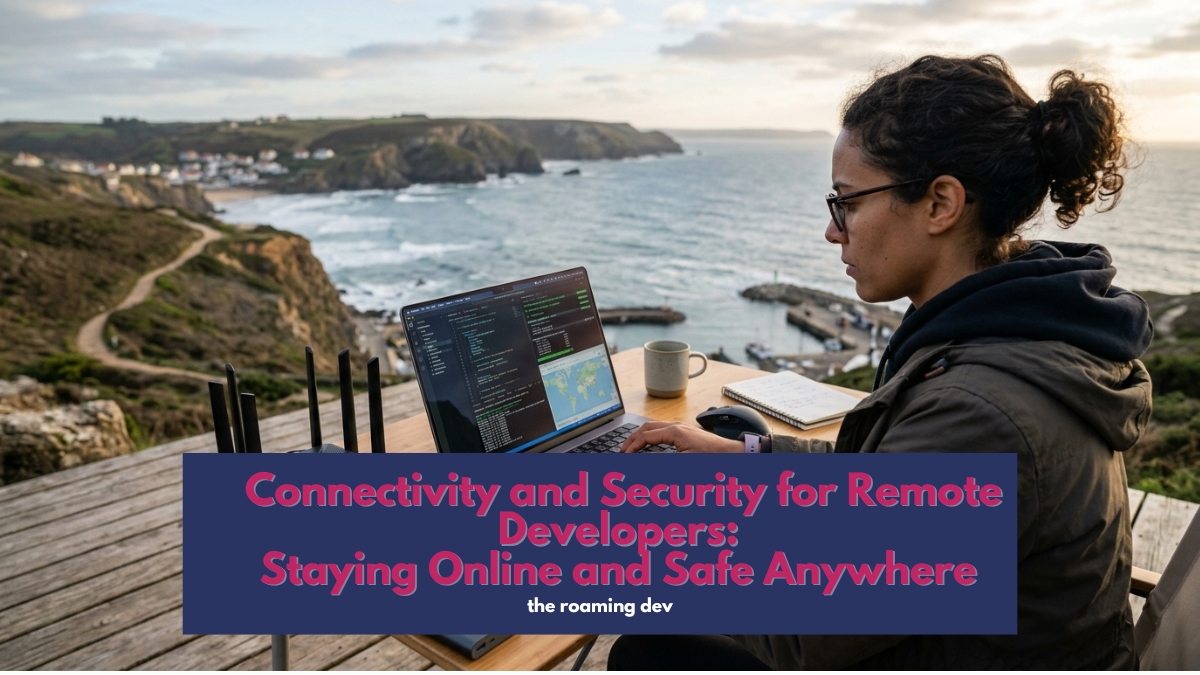
For a developer on the move, connectivity and security aren’t about streaming Netflix past a geo-block or hiding your browsing from a café.
They’re about staying online through a deploy, holding a client call without dropping, and making sure the code, credentials, and servers you’re responsible for stay yours.
A tourist loses a holiday if their wifi dies. You lose a workday, a deadline, or worse. So the stakes are different, and so is the setup.
Two things keep a roaming developer working: a connection with a backup so you’re never fully offline, and layered security that protects your devices, your accounts, and crucially your own infrastructure.
Most guides nail the first half and miss the part every developer actually needs, which is reaching your own machines safely from anywhere.
Good connectivity and security for remote developers comes down to both, and this page points you to a full guide on each piece.
Think of it as two halves of one problem, staying connected and staying secure, with a menu of guides under each. Take what fits how you work, and treat the list as a growing one.
Part one: staying connected
Reliable internet is non-negotiable when your income depends on being online the moment you land. The trick is never trusting a single connection.
The redundant connection
One connection is a single point of failure, and café wifi will fail you at the worst possible moment. The fix is layering.
An eSIM gives you instant encrypted cellular data in over 200 countries the second you arrive, and in 2026 a 5G hotspot can hit 300 Mbps, fast enough to be your main connection, not just a backup.
Pair your phone’s eSIM with a second carrier, and if one network congests or drops, the other takes over instantly.
That failsafe is what turns “the wifi died” from a crisis into a shrug. Start with the best eSIM guide and the dual-carrier hotspot guide.
Travel routers and portable wifi
Some developers go a step further and carry a pocket travel router.
It creates your own private network in any hotel or café, lets you connect all your devices once instead of every time, and can run a VPN at the router level so everything behind it is protected automatically.
It’s a small box that solves several problems at once. The travel router guide covers the ones worth carrying.
When there’s no connection at all
Head somewhere genuinely remote and the usual options run out.
This is where satellite internet earns its keep, with something like Starlink Mini now portable enough to bring bandwidth to a beach, a mountain, or a van.
It’s overkill for city life and a lifesaver off the grid. We weigh it up in the off-grid internet guide.
Vetting a connection before you rely on it
Booked a month somewhere on the promise of “fast wifi”? Never take that at face value.
A quick speed test, a look at recent reports from other developers rather than tourists, and a mobile backup ready to go will save you from discovering the truth on your first Monday.
The connection-vetting guide walks through how to check before you commit.
Part two: staying secure
Your office is a different public network every week, and you’re carrying client work, source code, and access to live systems.
That changes security from a nice-to-have into part of the job. Think of it in layers.
Reaching your own servers safely
Here’s the layer the generic nomad guides completely miss.
As a developer, your biggest security need isn’t hiding from a café; it’s reaching your own machines, your cloud dev environment, your servers, and your databases, without exposing them to the open internet. A consumer VPN doesn’t do this.
A private mesh does. Tools like Tailscale build an encrypted network between your own devices, so your server is reachable by you and invisible to everyone else.
Set this up once and you can close public SSH access entirely. It’s the single most important security upgrade for a roaming developer, and we walk through it in the private mesh setup guide.
A VPN for public networks
A consumer VPN still has its place, just a narrower one than the affiliate lists suggest.
When you must use hotel or café wifi for something sensitive, a reputable VPN with a kill switch encrypts your traffic against the packet sniffing and fake hotspots that plague public networks.
If your primary connection is already encrypted cellular data, though, you need it less often than you’d think.
A simple rule keeps you out of trouble: use cellular data for anything involving passwords, payments, or client work; save public wifi for low-risk browsing; and if wifi is the only option, verify the exact network name with staff before you connect, since fake hotspots copy the real one.
The VPN guide covers when a VPN genuinely helps and which to trust.
Locking down your accounts
Most breaches don’t come from clever hacking; they come from reused passwords and weak logins.
A password manager generates and stores a unique password for every account, and app-based two-factor authentication puts a second lock on the ones that matter.
Use an authenticator app rather than SMS, since SMS codes are vulnerable to SIM-swap attacks. Details in the password manager guide.
Protecting a device that might be lost or stolen
Treat a stolen laptop as what it really is for a developer: a business-continuity event, not just a lost gadget. Full-disk encryption means your code and keys stay safe even if the machine is taken.
Remote wipe lets you erase it from afar. And a recent, encrypted backup means you’re working again on a new machine within the hour rather than starting from zero.
The device security and backup guide covers all three, plus what to do before a border crossing where your devices might be searched.
Beyond the basics: worth exploring
Once the core connection and security layers are in place, some developers add extra protection depending on where they work and how sensitive their projects are:
- SSH key management so your access to servers is keyed, rotated, and never sitting in plain text.
- A secure DNS or DNS filtering service to block malicious domains before they load.
- A second, clean device for high-risk border crossings, carrying nothing sensitive.
- A privacy screen so the person behind you on the train can’t read your client’s code.
Have a habit or tool that keeps you safe on the road? This section grows as roaming developers share what works.
How to set it up, in order
Building your connectivity and security setup from scratch? Do it in this sequence.
Get an eSIM and a backup connection sorted before your first trip, because being offline stops everything. Set up your private mesh so you can reach your own servers safely.
Turn on full-disk encryption and a password manager with two-factor, which takes an afternoon and protects nearly everything.
Add a VPN for the public-wifi days, and a travel router if you want the extra layer. None of it is hard, and most of it you set once and forget.
Frequently asked questions
With redundancy. An eSIM for instant encrypted cellular data, a phone hotspot or second carrier as backup, and public wifi only for low-risk tasks.
A travel router or satellite option covers the harder cases.
Sometimes, for public wifi. But the bigger need is a private mesh like Tailscale to reach your own servers and dev environment securely.
A consumer VPN protects public-network browsing; a mesh protects your infrastructure.
Not by default. Public networks are exposed to packet sniffing and fake hotspots. Use encrypted cellular data for anything sensitive, and if you must use wifi, run a VPN with a kill switch.
Full-disk encryption keeps the data unreadable, remote wipe lets you erase the device, and a recent encrypted backup gets you working again fast. For developers, this is business continuity, not just privacy.
Two tie for first: full-disk encryption plus a password manager for the basics, and a private mesh like Tailscale for reaching your own infrastructure. Together they cover the risks that actually matter.
The bottom line
Staying online and staying safe are the two quiet foundations everything else on the road rests on.
Get a connection with a backup so you’re never fully offline, lock down your devices and accounts so a bad day doesn’t become a disaster, and set up a private mesh so your own servers are always a click away and never exposed.
Do that, and connectivity and security stop being things you worry about and become things you forget about, which is exactly where you want them.
Also Read:
- Remote Developer Setup: The Complete Work-From-Anywhere Guide (2026)
- Remote Developer Gear: The Hardware Kit That Actually Matters (2026)
- Dev Tools for Remote Developers: Building a Portable Coding Stack (2026)
- Productivity and Collaboration for Remote Developers: Getting Work Done Across Time Zones (2026)